Home » MODDING HQ 1.13 » v1.13 General Development Talk » "Initializing Virtual File System failed" VS2008 Debug
"Initializing Virtual File System failed" VS2008 Debug [message #301078] Tue, 06 March 2012 05:00 Go to next message
haydent is currently offline haydent

 
Messages:265
Registered:November 2007
Location: NSW, Australia
any way around this error ?

i have game installed to separate drive from windows... (happens in bot XP and Win7)

vfs.log

Quote:
*** Tue Mar 06 14:26:41 2012 ***
[ ATSS2-4F5P7-0JDCH-S2OM3-UNB86 ]

[0.00816319] : [Ja2.ini] - Error when opening file : 2
[0.0522573] : [vfs_config.ini] - Error when opening file : 2
[0.0529213] : Processing VFS configuration
[0.0530547] : no profiles specified


game_log.log

Quote:
*** Tue Mar 06 14:26:29 2012 ***
[ ATSS2-4F5P7-0JDCH-S2OM3-UNB86 ]

[1.5151] : ERROR : File : d:\ja2\1.13 source\gamesource\ja2_v1.13\build\standard gaming platform\sgp.cpp
Line : 735
Location : InitializeStandardGamingPlatform
Initializing Virtual File System failed

[Updated on: Tue, 06 March 2012 05:54] by Moderator

Report message to a moderator

Master Sergeant

Re: "Initializing Virtual File System failed" VS2008 Debug[message #301084] Tue, 06 March 2012 06:01 Go to previous messageGo to next message
haydent is currently offline haydent

 
Messages:265
Registered:November 2007
Location: NSW, Australia
got it working had to set working directory in debugging properties of vc proj to that of game directory

Report message to a moderator

Master Sergeant

Re: "Initializing Virtual File System failed" VS2008 Debug[message #311143] Sat, 13 October 2012 11:20 Go to previous messageGo to next message
tuoya220 is currently offline tuoya220

Messages:1
Registered:October 2012
Location: ShenZhen,China
haydent
got it working had to set working directory in debugging properties of vc proj to that of game directory

thx

Report message to a moderator

Civilian
Re: "Initializing Virtual File System failed" VS2008 Debug[message #360930 is a reply to message #311143] Fri, 14 August 2020 03:42 Go to previous messageGo to next message
Julix is currently offline Julix

 
Messages:105
Registered:June 2010
Location: Canada

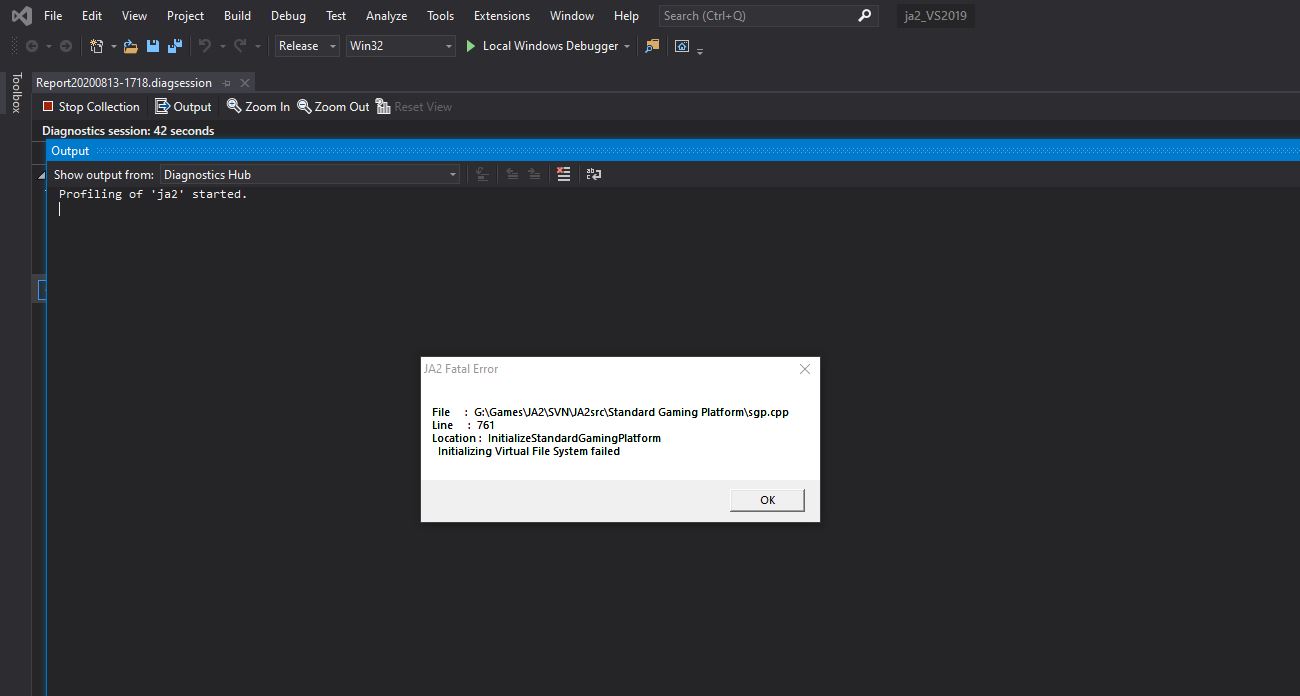
I'm having the same issue now in Visual Studio 2019

https://i.ibb.co/Rhwb769/error-vfs.jpg

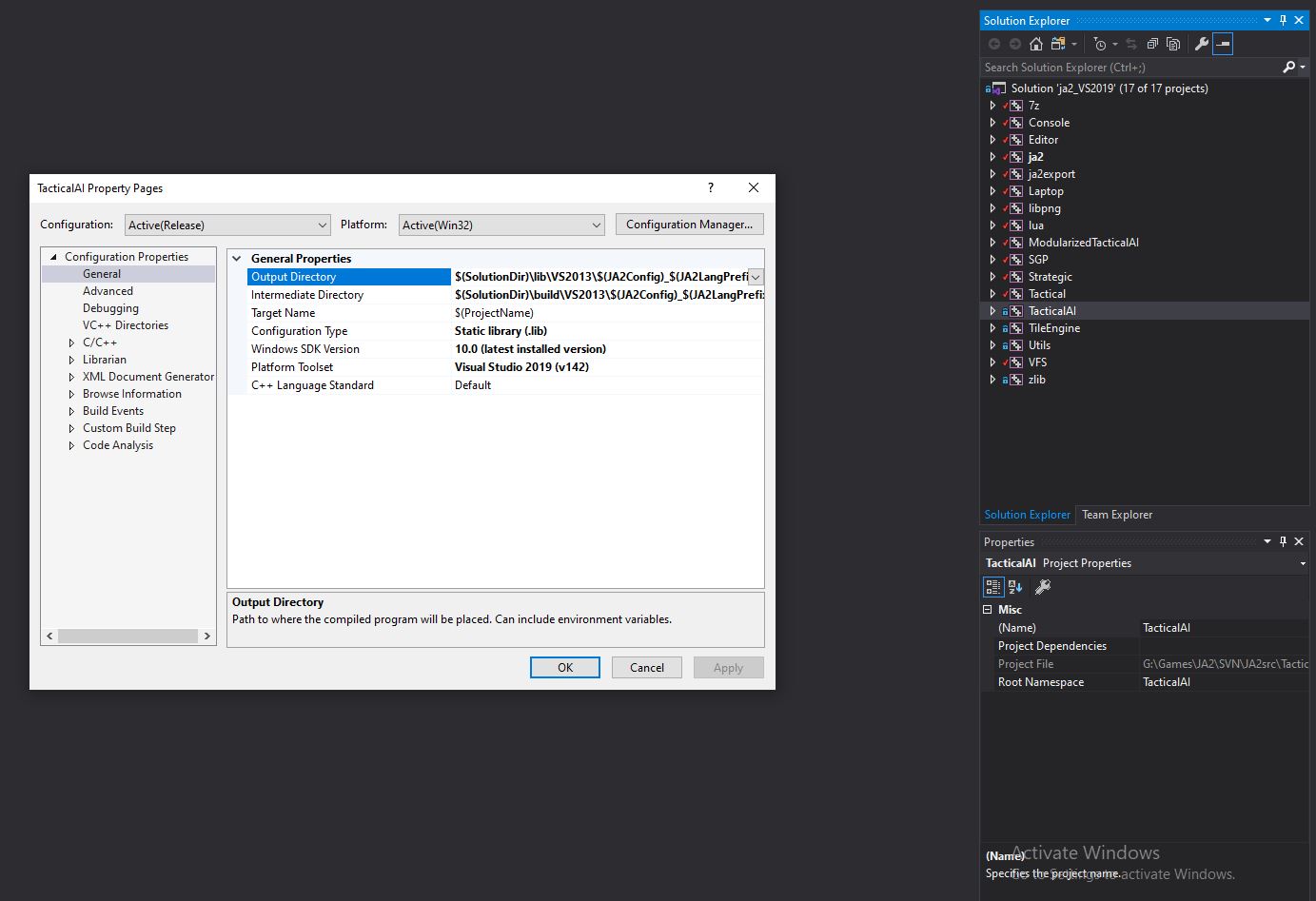
Each Project Node has it's own settings, and I updated them all.
https://i.ibb.co/cb1VYfN/before.jpg

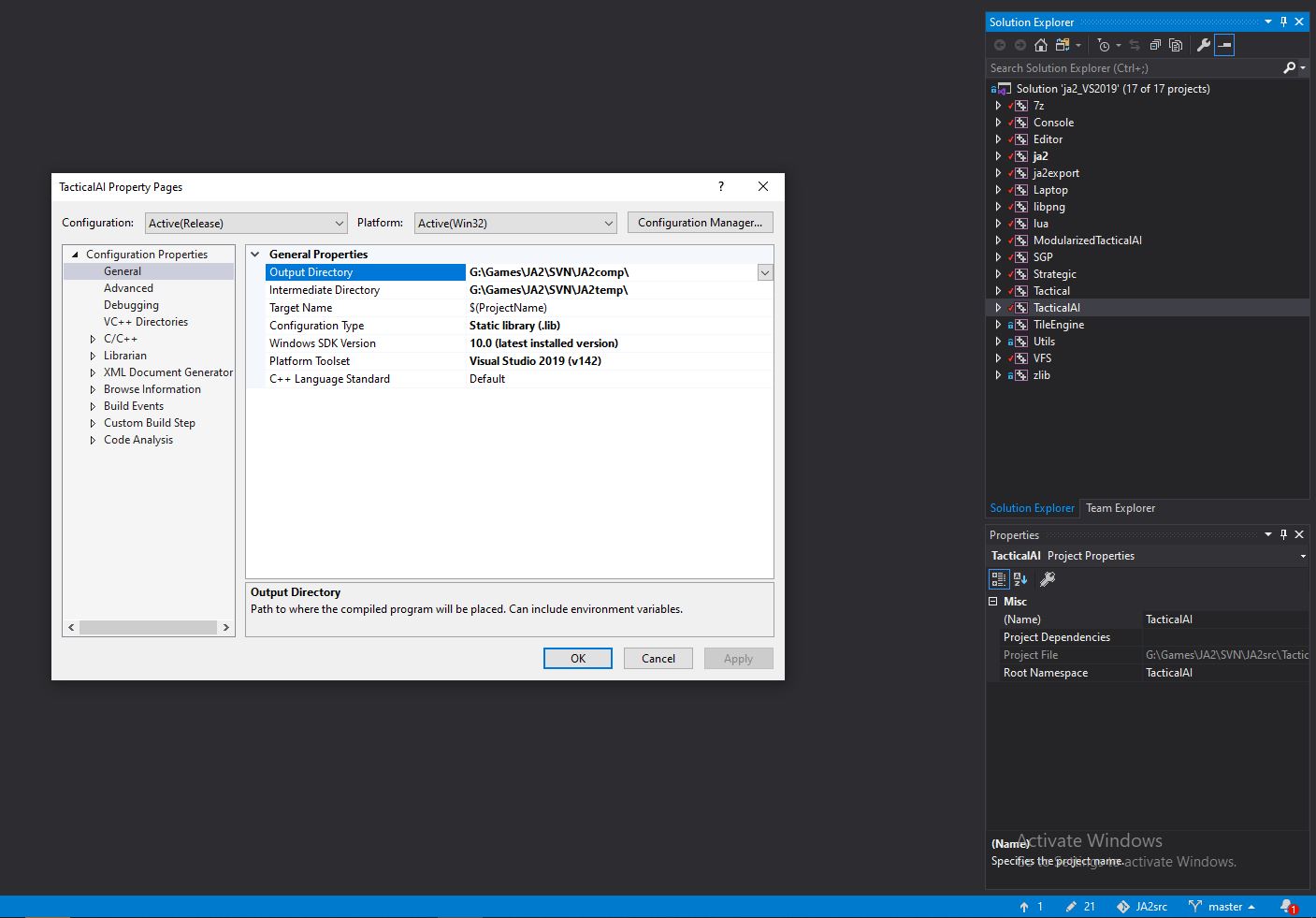
Meaning all point output to game directory
https://i.ibb.co/9pSXbym/after.jpg

And while that did change the debugger behavior (it did a bunch more build stuff before throwing the error) - in the end it still just threw the same error. angry

[Updated on: Fri, 14 August 2020 03:56]

Report message to a moderator

Sergeant
Re: "Initializing Virtual File System failed" VS2008 Debug[message #360934 is a reply to message #360930] Fri, 14 August 2020 10:04 Go to previous message
silversurfer

 
Messages:2787
Registered:May 2009
After opening the "ja2_VS2019.sln" for the first I had to do the following in this order:

  • in Solution Explorer tree right-click "ja2" and click "Set as StartUp Project"
  • in Solution Explorer tree right-click "ja2" and click "Properties"
    In the "Properties" window select "Configuration" -> "All configurations"
    - under "General" enter the "Output Directory" e.g. "D:\JA2\"
    - under "Debug" enter the "Working Directory" e.g. "D:\JA2\"
Nothing more should be required to get the code to compile. The output files will appear in your game directory if you entered the path correctly as shown above (don't forget the closing backslash). You can directly start the game from VS2019.


Wildfire Maps Mod 6.07 on SVN: https://ja2svn.mooo.com/source/ja2/branches/Wanne/JA2%201.13%20Wildfire%206.06%20-%20Maps%20MOD

Report message to a moderator

Lieutenant
Previous Topic: Instructions for using SVN
Next Topic: stuff id like to disable
Goto Forum:


Current Time: Wed Jun 10 23:27:38 GMT+3 2026

Total time taken to generate the page: 0.01633 seconds