Home » SIRTECH CLASSICS » Jagged Alliance 2 » Jagged Alliance 2 General » How to speed-up JA2 loading/saving
How to speed-up JA2 loading/saving[message #362657] Sun, 14 March 2021 12:56
luk3Z is currently offline luk3Z

 
Messages:67
Registered:December 2006
Location: Metavira
How to speed-up JA2 loading/saving ?
It's very simple - by using RAM Disk.

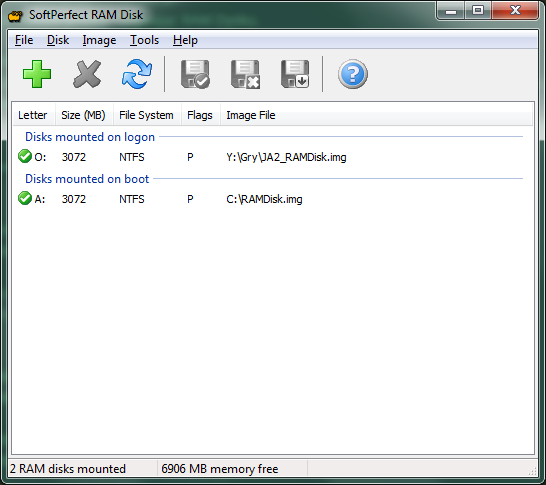
I'm using SoftPerfect RAM Disk 3.4.8 latest freeware version.
I've maked 3GB RAMDisk. Menu -> Disk -> Add: Size 3072 MB, do not check "Hard Disk Emulation (slower)".
File system RAW formatted to NTFS (maybe FAT32 would be faster - who knows).
Do not forget to save RAM contents to image file after the game (I've named it JA2_RAMDIsk.img) & backup this image regularly (for just in case).

CrystalDisk benchmark:

SSD:
Read: 250 MB/s (SEQ1M)
Write: 234 MB/s (SEQ1M)

Read: 16 MB/s (RND4K Q1T1)
Write: 36 MB/s (RND4K Q1T1)

RAMDisk:
Read: 5352 MB/s (SEQ1M)
Write: 7584 MB/s (SEQ1M)

Read: 1343 MB/s (RND4K Q1T1)
Write: 1090 MB/s (RND4K Q1T1)

Comment here is useless. Numbers saying for themselves.

For those who want to test it:
https://www.majorgeeks.com/files/details/softperfect_ram_disk.html

My disk with JA2:
https://images92.fotosik.pl/495/16c15421f66b6b69.png

[Updated on: Fri, 23 April 2021 07:50]


JA2 Vault (Repositories): https://pastebin.com/ahdkz33g
JA2 v1.13 - Starter Documentation: https://github.com/aimnas/1.13_starter_documentation
JA2 v1.13 Hot Keys: https://pastebin.com/EHLMuk1k

Report message to a moderator

Corporal
Previous Topic: IMP trait "Friendly"
Next Topic: I can't see anything! Why can't I see anything?!
Goto Forum:


Current Time: Fri Jun 12 12:08:03 GMT+3 2026

Total time taken to generate the page: 0.00518 seconds